How to notify Slack for AWS CodePipeline
To notify Slack for AWS CodePipeline, create a notification rule for the pipeline, selecting all events and Slack as the target. Register the Slack channel as a target and configure a new chatbot client. After authorizing Slack, specify the Slack channel to connect to, set the chatbot's privileges, and establish guard rules. With read-only access for both allowed rules and guard conditions, the pipeline can trigger notifications to the Slack channel.
- DevOps
First I created a notification rule for my pipeline.

Rule creation would require a name ( obviously ) and events that should be notified and a target system that the notification should send.
Since I would prefer to receive all the events, I choose all and Slack as the target.
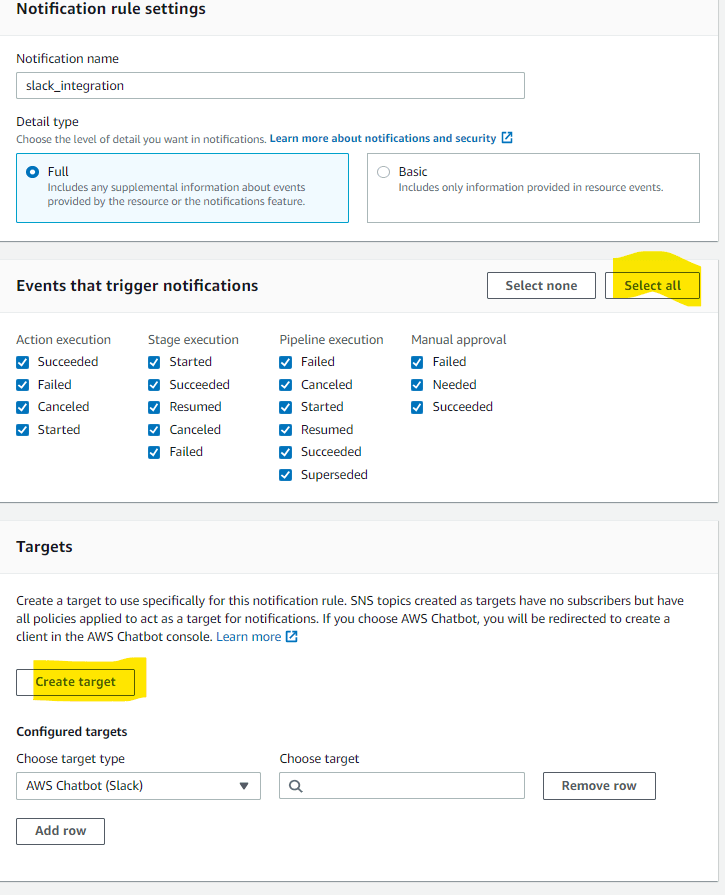
Since my newly created Slack channel is not yet registered as a target I attempted target creation.
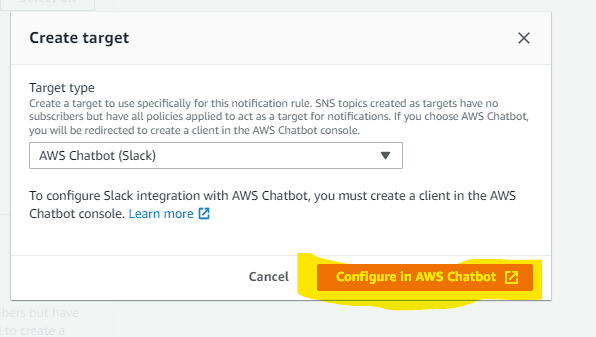
Not it is time for me to configure the chatbot. I create a new client.

AWS offered me two options for the client Slack and AWS Chime, I proceed with Slack and it directed me to Slack for authorization for the Slack workspace.
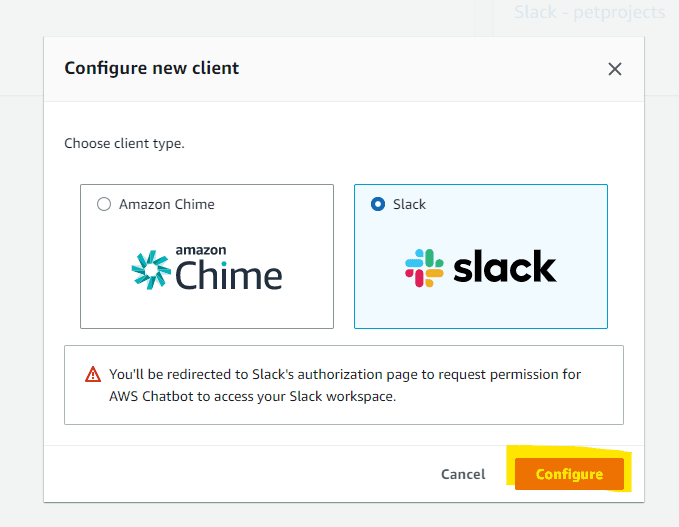
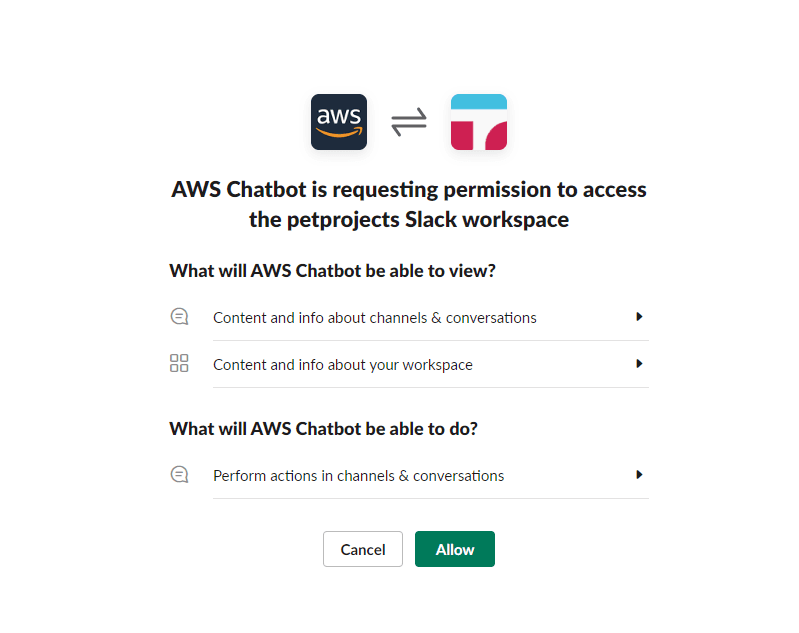
Once I authorized, there are a few more additional configurations needed to do.
What Slack channel should be connected to? What sort of privileges I should allow to the chatbot and what are the guard rules I should create?
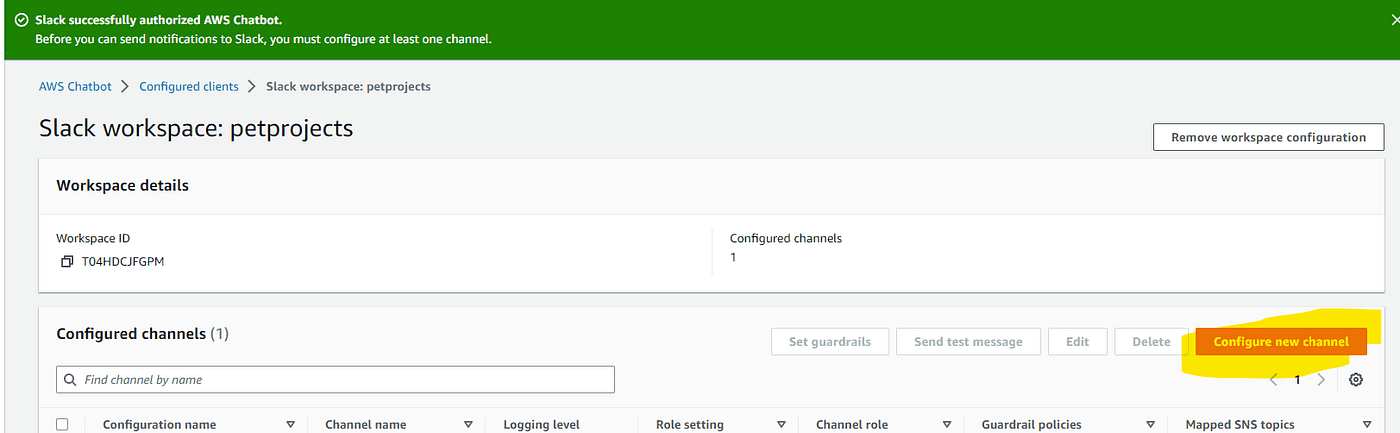
Since my only intention is to view what's going on with my CI/CD pipeline, I just set AWS read-only access for both allowed rule and guard conditions.
I triggered my pipeline and started to flood my channel with all the events.
Enjoyed this? Get the next one by email.
Keep reading
The Difference Between Polar and Other Payment Providers
Polar is a Merchant of Record (MoR) billing platform built for developers selling software and digital products. Unlike payment processors like Stripe, Polar handles global tax compliance, automated benefit delivery (license keys, GitHub access, Discord), and full billing infrastructure in one product at 4% + 40¢. Compared to other MoR options (Paddle, Lemon Squeezy), Polar is open source, offers lower fees, framework adapters for a 6-line integration, and is designed to scale from indie to enterprise without switching platforms.
What is MCP Server? A Deep Dive into the Model Context Protocol
MCP (Model Context Protocol) is an open standard that lets AI apps connect to external data and tools. An MCP server is a program that exposes three things to the AI: Resources (read-only data), Tools (callable actions), and Prompts (reusable templates). One host (e.g. Claude or ChatGPT) can talk to many servers—files, calendar, database, Slack—so the AI can read your context and take actions in one place. Think of it as USB-C for AI: one protocol, many integrations.